FeaturesNew
Stable chat – like WhatsApp, but the horses are in it
Messages, photos, voice and files for the whole team – and the same conversation open on the stable computer, your own phone and the carer’s phone. Attach a horse or a task to a message, and the chat stays with the stable, not on someone’s personal phone.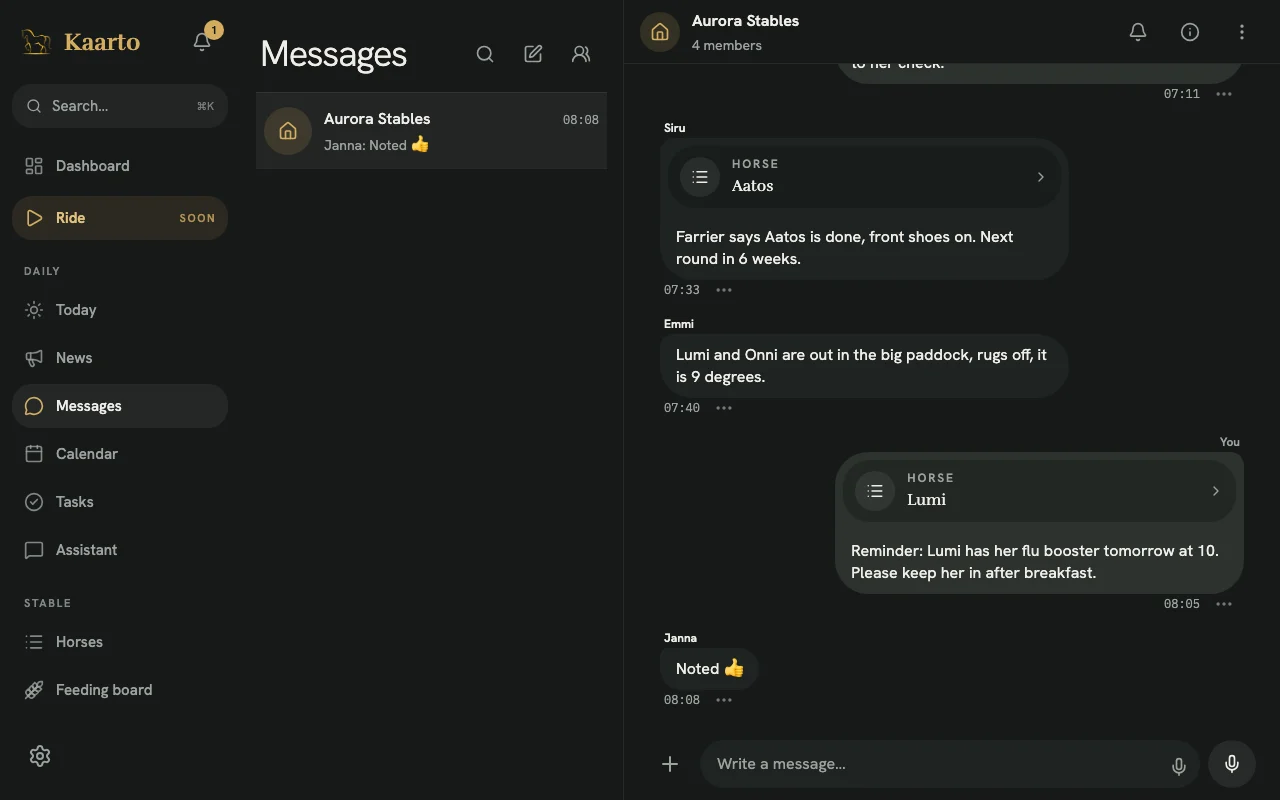
Same conversation on every device
Sign in with your email and open Kaarto in any browser – the stable computer, your own phone, the carer’s phone. No phone number, no pairing, no “which phone has the group”. The history is stored on the stable’s account.The horse is in the message
Attach a horse or a task to a message as a card – tap it and the horse’s profile or the task opens. “Who turned Pipsa out?” becomes a message with Pipsa in it.The whole team is already in the room
Every member joins the team room automatically. Make a group for the weekend shift, or message one person directly. Whoever leaves the team stops seeing the stable’s chat.Talk with gloves on
Dictate and the words appear as text, or send a voice message of up to 90 seconds – the recipient can read it as text if they prefer.Photos and documents that land in the right place
Send a photo of the leg or the vet’s PDF straight into the chat. Save to Documents files it with the stable’s documents instead of leaving it in a thread.Everything you expect from a chat
Replies, reactions, @mentions, read receipts, typing indicator, edit, forward, star, search across every conversation, pin and archive, a media gallery – and mute for the busy group, with mentions still reaching you.Start a 14-day free trial14 days free · no credit card · every feature included
Same conversation on every device
Horse and task in the message
Voice messages with gloves on
Included in every plan
Does the stable chat replace our WhatsApp group?
For stable matters, yes. Every team member is in the team room automatically, the history stays with the stable instead of someone’s personal phone, and you can attach a horse or a task to any message. The same conversation is open on every device you sign in to.Do I get notified of new messages on my phone?
Yes. Turn on message notifications in Settings and Kaarto notifies you of new messages and @mentions – on an iPhone, add Kaarto to the Home Screen first. Mute a busy conversation and mentions still reach you.Less paperwork, more time for the horses.
Kaarto keeps the whole stable — tasks, animals, people — in one place.14 days free · no credit card · every feature included · then from €9,90/mo


Kaarto® is a registered trademark. All rights reserved to Kaarto Innovations Oy · Business ID (Y-tunnus) 3484853-6 · ©2026.
Kaarto®